SafetyStop
A dive log that respects your time.
SafetyStop logs a dive in seconds, works out the nitrox numbers for you, plans your gas honestly, and pulls dives straight off a Shearwater over Bluetooth. For iPhone — and it works with no signal and no account.
- Use My Location names the water you are actually in and sets salt or fresh — the two things every other app makes you type twice.
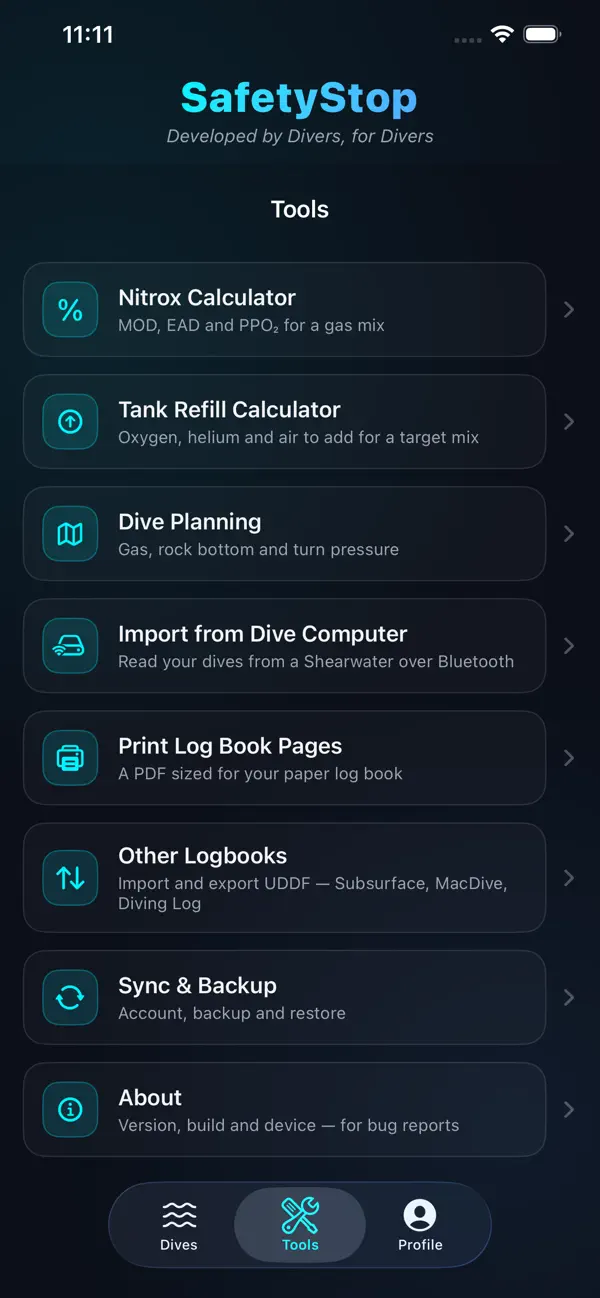
- MOD, EAD and PPO₂ for your mix, each figure marked safe, warning or danger against the limit you set.
- Rock-bottom reserve, not “surface with 500 psi” — enough gas for two divers to share air from the deepest point and still make a safety stop.
- Import from a Shearwater over Bluetooth. No cable, no desktop app.
- Export the whole log to a file whenever you like, and import it back. It is never locked in.
Sign in

What it does
A logbook that fills itself in
Date, site, depth, time, mix, buddy, conditions, kit. Use My Location names the body of water you are in and sets salt or fresh from it, so the two fields everyone gets wrong are already right. Depths in feet or metres, your choice, per dive.
Totals across the whole log — dives, max depth, bottom time — and favourites for the sites you keep coming back to.
Nitrox, worked out properly
Give it a mix and a depth and it returns working MOD, contingency MOD, current PPO₂ and EAD — each one marked safe, warning or danger against the PPO₂ limit you set, not a limit we picked.
It will also tell you the richest mix that is still usable at your planned depth, which is the question you actually have standing at the fill station.
Gas planning that is honest about reserve
Rock-bottom reserve, not “surface with 500 psi”: enough gas for two divers to share air from the deepest point of the dive, ascend at a sane rate and still make a safety stop.
A tank refill calculator too — partial-pressure blending from what is already in the cylinder to the mix you want, in cubic feet and psi.
Your dives, off your computer
Put a Shearwater into upload mode and tap Find. Dives come across over Bluetooth — no cable, no desktop software, no account. Only new dives are imported; anything already in your log is left alone.
And it all goes back out again: export the whole log to a file whenever you like, or UDDF for Subsurface, MacDive and Diving Log. Nothing is locked in.
Screenshots
From the shipping build, on an iPhone.



Dive computers
Shearwater over Bluetooth, straight to the phone.
The Peregrine, the Teric and the Perdix AI have all been read on a real iPhone — the Peregrine against ten dives, with the decoded profile checked figure by figure against Shearwater's own app. The rest of the Shearwater family speaks the same protocol and should work — but “should work” and “we have watched it work” are different claims, and the dive computers page keeps them apart.
What it costs
The app: free
The logbook, the nitrox and gas calculators, the tank blending, printing, UDDF import and export, and Bluetooth import from a dive computer. All of it, free, with no account and no advertising.
It works with no signal at all. Everything lives on the phone.
Cloud Sync: $4.99 a year
Optional. It keeps your log on more than one device, backs it up off the phone, and is what signs you in here on the web.
If a subscription lapses, your log stays readable — here and in the app — for 90 days; after that it stops taking new writes until you renew. Your dives are never deleted because a subscription ended.
Prices shown in US dollars; the App Store charges in your own currency. Sync is bought in the app, not on this page.
Privacy
No analytics, no advertising, no third-party trackers, and nothing sold to anyone. Without Cloud Sync, nothing leaves your phone at all. With it, your dives go to our own server and nowhere else.
Your certification card photo stays on the device. Location is used to name the water you are in, when you ask it to, and not otherwise.
Get diving
SafetyStop is on the App Store for iPhone.
